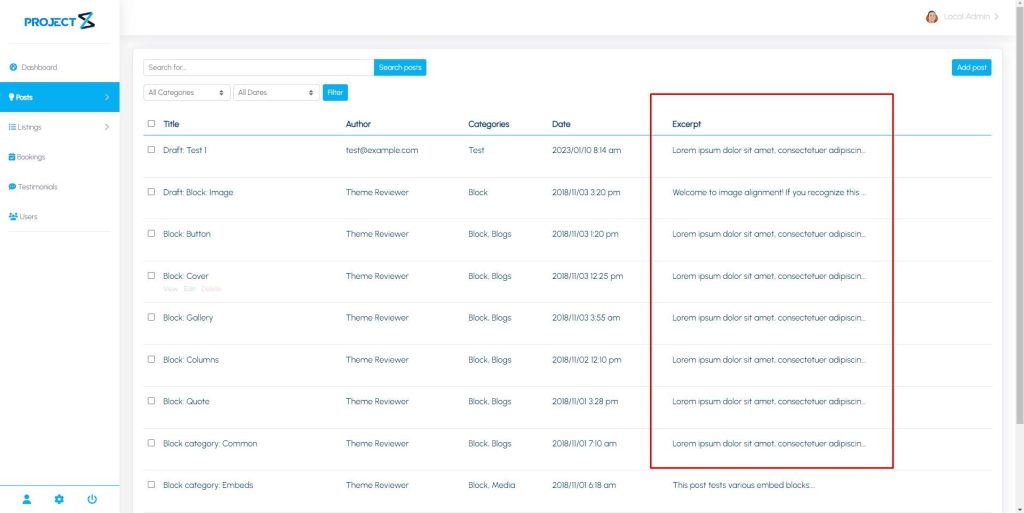
/**
* Add/Remove Column in Post Page.
*/
function modify_post_table($columns){

// Remove Tags Column
unset($columns[‘tags’]);

// Add Custom Column
$columns[‘excerpt’] = ‘Excerpt’;

return $columns;
}

add_filter(‘pzfm_post_table_columns’, ‘modify_post_table’);
Note: The column key used in pzfm_post_table_columns for additional column should be the same with the filter pzfm_post_row_data_{{ ID }} for the data to show in that column in this example we use excerpt in that case the filter used is pzfm_post_row_data_excerpt.
/**
* Add Data for Additional Column in Post Page.
*/
function pzfm_custom_data_excerpt(){
$excerpt = get_the_excerpt();
return substr_replace($excerpt, “…”, 50);
}

add_filter(‘pzfm_post_row_data_excerpt’, ‘pzfm_custom_data_excerpt’);