
Planning to have an SEO for your website? Then you will have to read this snippet to guide you in every step of the way. Google Search Console is a free service offered by Google that helps you monitor, maintain, and troubleshoot your site’s presence in Google Search results. Google Search Console improves how Google sees your site.
Register site to google web master tool
1. Visit http://www.google.com/webmasters/tools, https://search.google.com/search-console/about


2. You’ll be redirected to this page; we choose URL Prefix as this is the much easier way to verify our site.
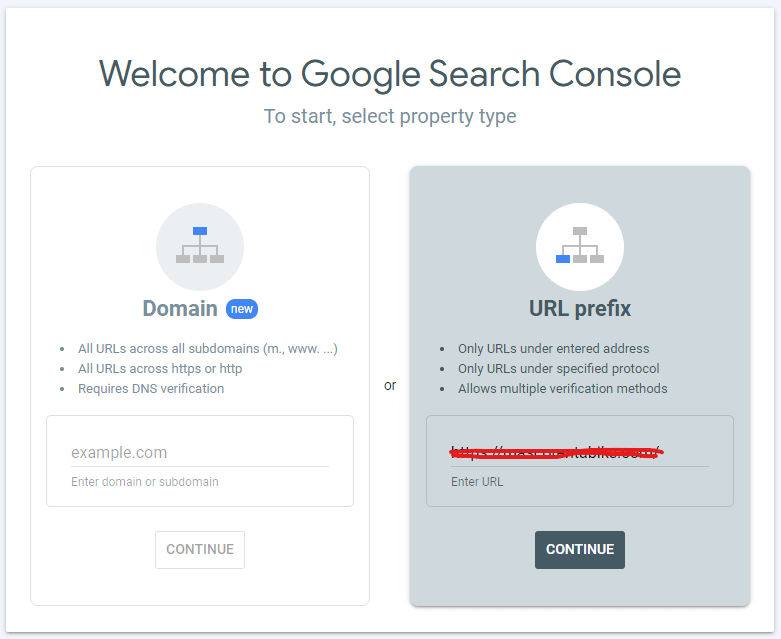
3. Put the URL of your website and click Continue
4. This form will be shown up to you
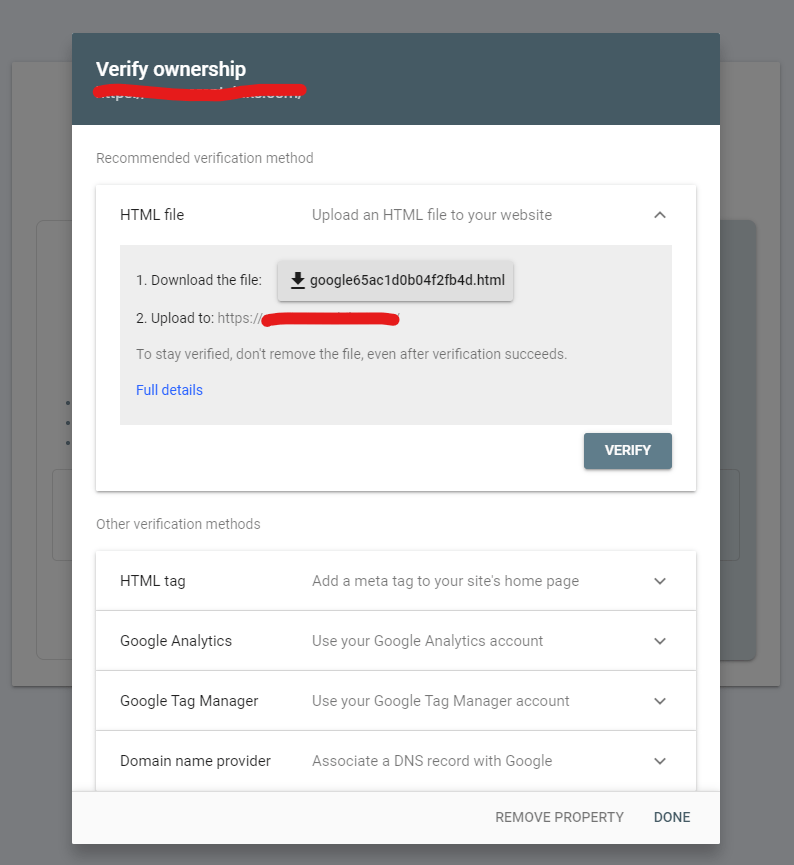
5. Download the file
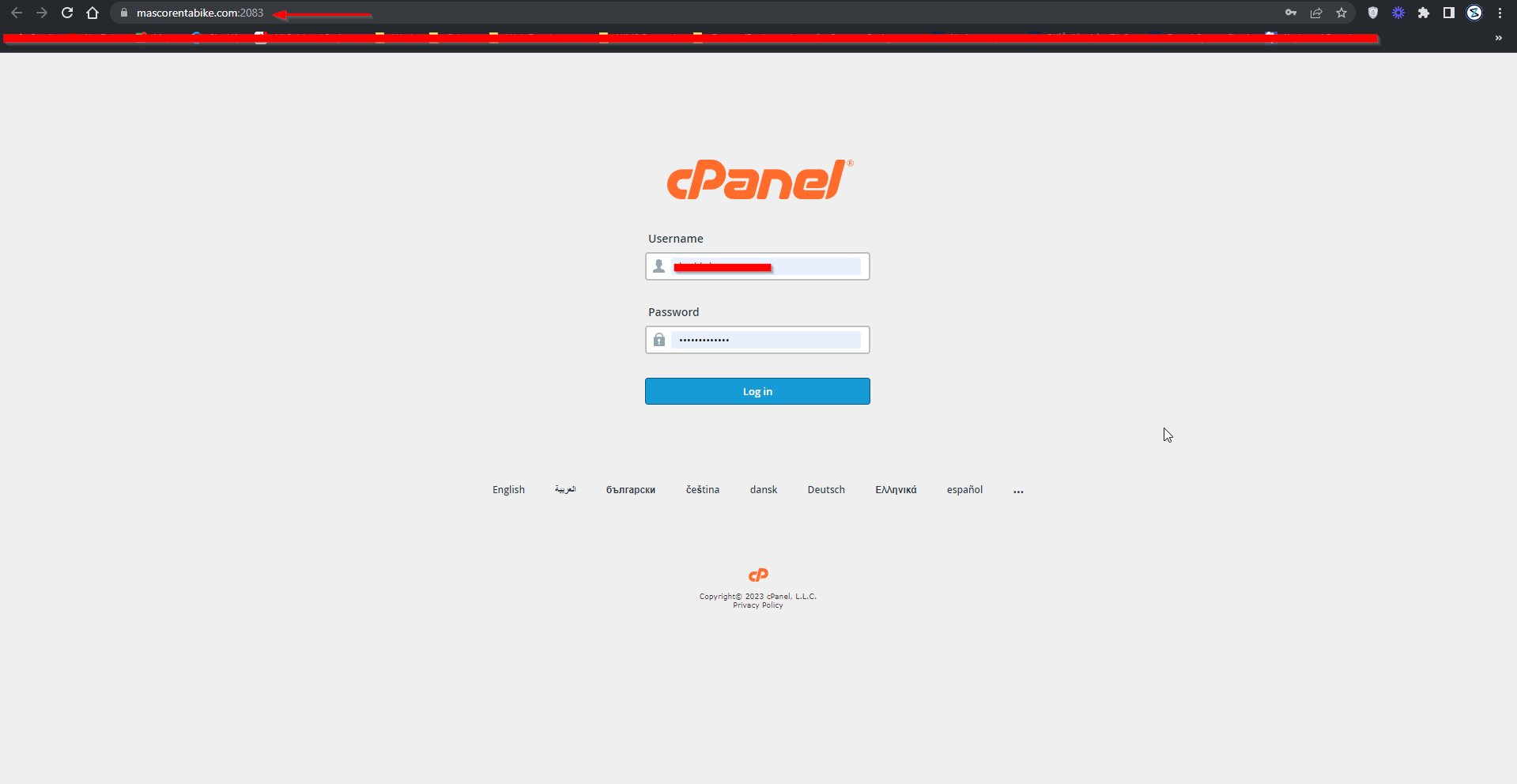
6. Login to your server
7. From categories, go to FILES CATEGORY and select File Manager
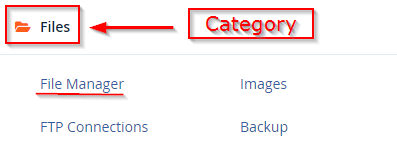
8. Inside your file manager select public_html folder
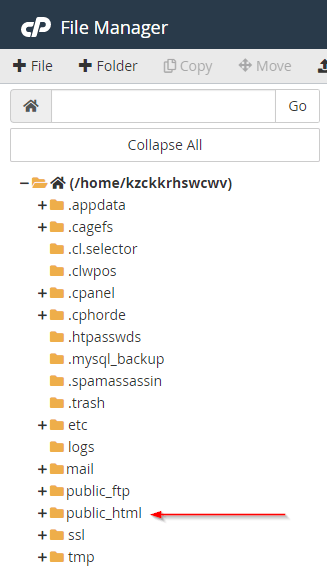
9. Inside public_html upload your downloaded file from google, make sure that you have selected the folder where you need to upload the file, then select UPLOAD from the top menu bar

10. After you upload your file, you must see your file inside the folder, it signifies that you have successfully downloaded your file inside your folder
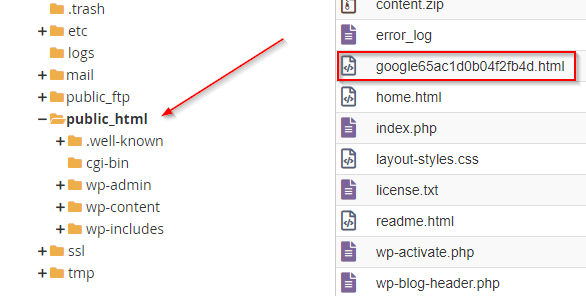
11. After you download your file to your server go back to your browser where you got the google file. And, click the VERIFY button.
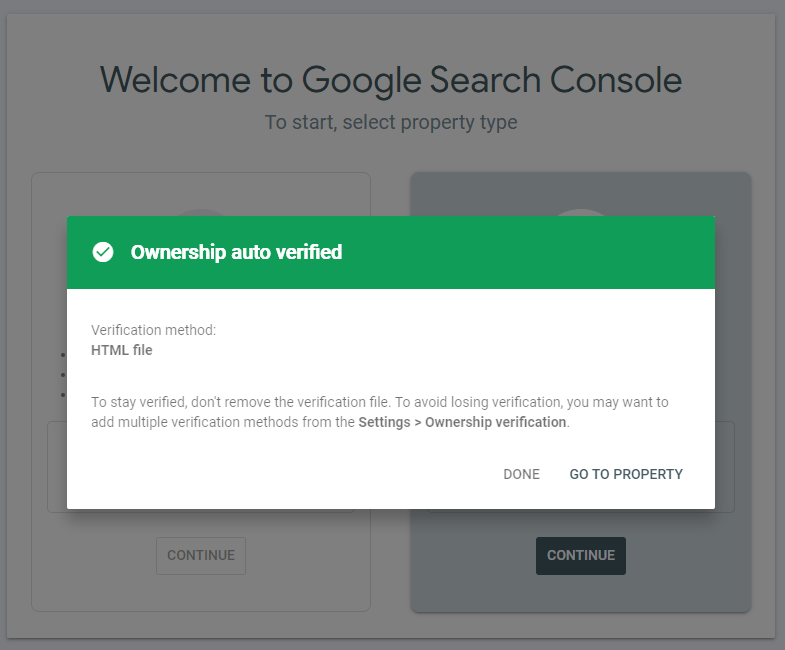
12. A form will be shown up to you confirming that your site is verified. Shown in the picture below.
Submit sitemap for google crawl (You can find site map using the Yoast SEO plugin settings)